Sunday, 26 January 2014

Prototype Presentation - Reconstructing Cloths

Prototype Presentation


I showed the previous head I did, and showed the improvement I've made from my previous model.

Presenting how I manage to create the body, face and also the hair.


Then also I presented on how I created the cloths from the tutorials I've studied.


Prototype Presentation Feedback from tutor

After presenting, tutor gave me feedback on my model I've done. He said what I've model will take a long time to render due to the high poly count, then he suggested me to reconstruct the cloth for the model using basic shapes instead of making a real cloth.

I've reconstructed the cloth in a new cloth for the model, and also I've got feedback from another lecturer where the face and cloth of the model is too rigid, and he suggested me to create more surfaces for the face and make it more stylized rather than sharp edged.


Modelling 3

Modelling 3

This post is about how I construct cloths with the character body I have. At first I've constructed the body of the model without cloths, and I faced some difficulties on modelling cloths for the character. I asked my friends who have done the clothing part, both of them constructed the cloths differently, one using extruding method and another one model the cloths without spaces for their characters.

Therefore I researched further on Youtube and found a way of constructing the cloths. It was very different from what I've expected.


Modeling Clothes in 3ds Max


Cloth Construction in 3ds Max


The above is a video tutorial in different language, I observe what tool that he uses when he construct the cloths. This tutorial is quite clear and helpful.

However, when I construct the cloths, I have faced certain difficulties such as the cloth floating away, then I realised it floats away due to no collision from the cloth and body.

Here's some examples when I construct the cloth:


First, draw out the cloth with line tool in the create section. Draw out the front and back of the shirt, and also the sleeve of the shirt, then click vertex on the line and break the vertices. P.S: the sleeve in this picture is incorrect.


Then, put the four poly on the character as if it is wearing the cloth. After that, select garmet maker from the modifier list.


After selecting garmet maker, select the broken segments, and create seams out of them, reverse the seams if they are crossed, else the cloth will become squishy. After creating seams, click on Cloth on modifier list. Select object properties, and change the settings over there.


After done with the settings on cloth modifier, hit on simulate local and wait for the flat surfaces to simulate itself into a cloth.

Sunday, 19 January 2014

Modelling 2

Modelling 2

Modelling the body and hair. During this phase, I've use back what I have learn during Level 4 on 3Ds Max - extrude & bevel.

Besides that there's also a Youtube tutorial where it helps me to refresh on the two tool I can use to create and model more easily. Rather than creating extra vertices and adjusting them one by one.


Although this video has no audio, I've observed on how she create and make use of the tools.

Results:


Using extrude and bevel, I've manage to model out the body and hair for my character. However, this is the version of after using the turbosmoothing effect.


Low poly version of the body and hair.

After modelling the body and hair of the character, I've tried to explore and learn how to apply face texture on the head. However, I still haven't fully understand the principle of unwrap UVW, I feel it's quite confusing even after watching the tutorials from youtube.

Here's two example of tutorials I've watched to help me to understand more about unwrap UVW.


Modelling 1

Modelling 1

First try on modelling, since I no experience on modelling a character, I faced problem on how to import my sketches into 3Ds Max to start model. I tried pulling the sketches straight into the working space but the sketches stretches and distorted, therefore I did some research on Youtube about importing the sketches for character modelling.


3Ds Max tutorial: Setting up reference images


I've researched different types of tutorial to help me on importing my reference but this tutorial video is very the one I found most helpful, I've learn the basic first step of modelling a character from importing my references into 3Ds Max.

First, I have to digitize two sides of the character I sketched and make both of them in a similar size. Then export the digitized sketches in 400 x 800, then map the two sketches onto two planes which share the same ratio of the sketches. This tutorial helps me to learn on how to set up reference images on my 3Ds Max before modelling.


Modelling a Head

I have no experience on 3D character modelling therefore I have no idea where should I start from. After doing some research on Youtube, I found out most of the model start off with heads, therefore I started to research more on head tutorials. 

Here is one of the good tutorial I found on building the basic head shape. Although I have learn some basics on 3Ds Max during Level 4, but I have forgotten some of the key tool which can help me to model. However, this tutorial had helped me to refresh my knowledge on 3Ds Max. Also this tutorial taught me on using basic polygon - box to create the head by adjusting the vertices of the polygon.

To create a head with both side symmetrical, I've learn to cut out half side of the head and edit it using one side and then by using the modifier list 's symmetry to pull out the other side of the head.


Head Model


This is the head model I've done, I could not get the exact file of the head model without the eye ball because of the file is saved as 3Ds Max 2014 but the software I have is causing error. After showing tutor the head I've model, he suggested me to create a low poly version rather than using turbo smooth on the character, because it will cause longer render time and I will have insufficient time to finish the artefact.

Saturday, 18 January 2014

UI Design

UI Design Research

Deliver Me to Hell - Youtube Interactive Video


Luigi's Mansion Interactive Adventure Game!


Sketches


After presenting the learning process to my tutor, he showed me a different type of Youtube interactive video and giving me suggestion on how to improve on the user experience by improving the UI of the video.

Youtube Street Fighter


This interactive video creates the buttons as if they are the buttons of the game/ the console. By creating the button as if they are in the game, if gives the user a better experience as if they are playing a real game inside Youtube. Therefore, I am encourage to design a better button in order to create a better UX for the users.


Character Design

Character research


Sketches


Research & Benchmark

MEET MELINE : THE 3D ANIMATED SHORT FILM


Advantages to learn from: The camera angle used in this animated short film is very nice. It is something I can learn and imply on the artefact that I am going to produce. The camera angles would be the benchmark from this competitor.

Disadvantages: The animation and the character design are very well constructed. However, with the limitation in terms of time frame and man power, it is impossible to construct such a high quality animation for my artefact.

Wreck-It Ralph Trailer


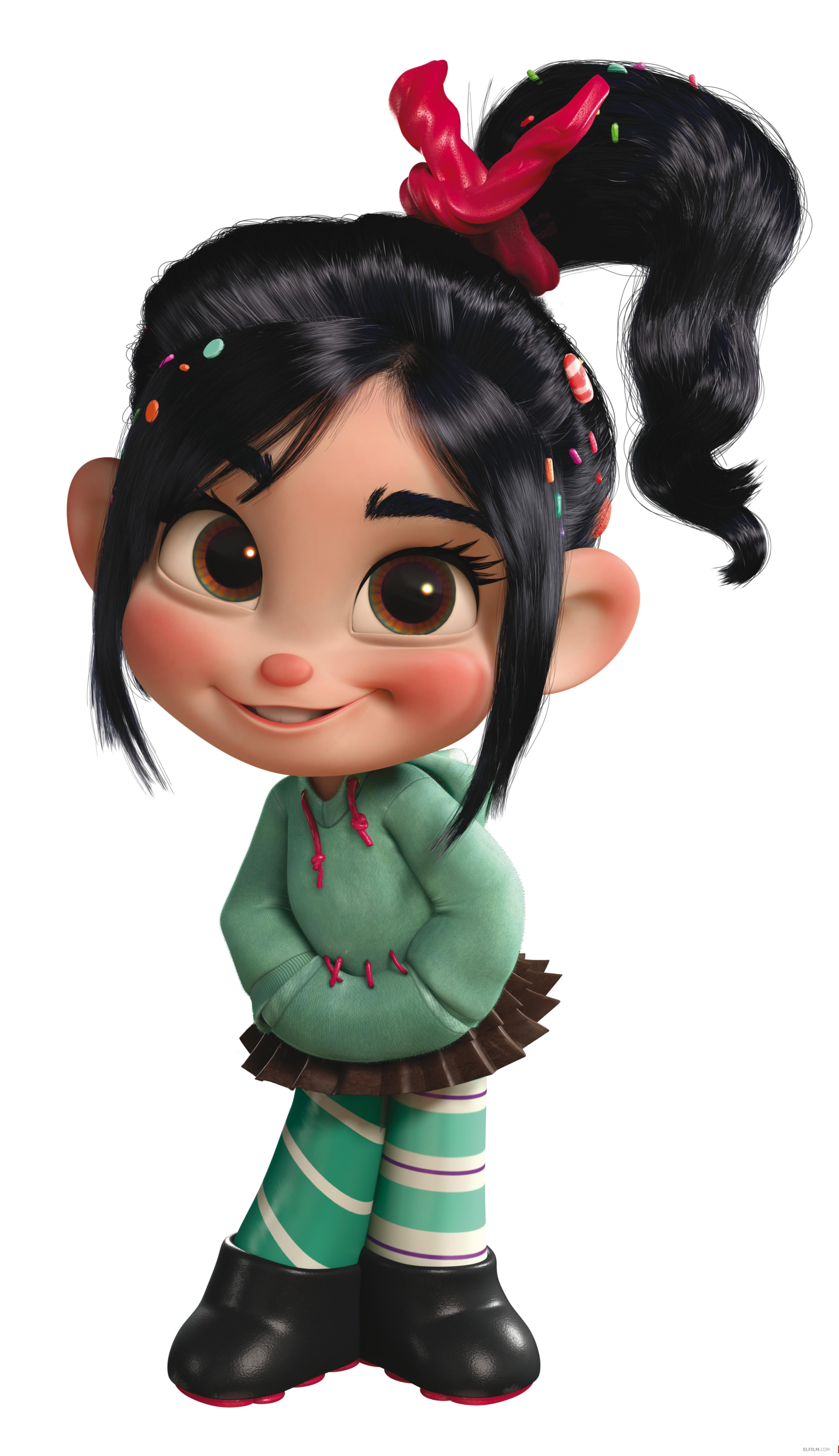
Advantages to learn from: The character design of Vanellope from this famous animated movie from Disney is still achievable within the time frame. The character design that I would like to try and construct is based on the characters of Sugar Rush in this animated movie. Character design in this animated movie would be the benchmark from this competitor.

Disadvantage: From the time frame and man power limitation, it is not possible to create a storyline like Wreck-It Ralph. Also the environment and the concept of the design are hard to achieve within the time-bound.

Project Proposal - Exploration

The major component of STI is about "learning" and "making". I am require to learn new sets of skills to produce an artefact with narrative component within a given timeline  (9 weeks).

The skill sets that I would like to learn within this 9 weeks is 3D animation and video editing. The story will be constructed as a non-linear narrative that branches to different ending based on the decision choose by the user. 

The story will be delivered by using Youtube - interconnected Youtube video. Targeting teenagers who loves to watch Youtube and animations.

The project purpose is to show user enjoyment happens outside the house.

Technical Specification
Recording method: DSLR
3D modelling & animatioing : 3D Studio MAX 2013
Editing: Adobe After Effects
Screen Resolution: 1280 x 720
Browser: Chrome

Initial Story Outline
Introduction
1. A boy wakes up from his sleep, rubs his eye.
2. He walks down the stairs heading to the kitchen to have his breakfast.
3. He looks at the front door before stepping down from the staircase.
4. Decision making pops out. Choose either to go out or to stay at home.

If user chooses to go out:
Go Out
1. He looks at the sky (might be raining).
2. He takes in a deep breath and walks into the forest.
3. He spots a creature he wants to see a long time ago.
4. He looks around his for items he can use on the creature.
5. Spotted fruits on his left, a stone on a right.
6. Decision making pops out. Choose either a fruit or a stone.
Fruit
1. He approaches to the creature.
2. He slowly hands over the fruit to the creature.
3. The creature slowly approaches and eats the fruit.
4. He smiles and pats on the creature.
5. He walks home happily.
6. END.

A Stone
1. He throws the stone to the creature.
2. The creature slaps his with the tail.
3. He flies, knocks on a tree and faints.
4. END.

If user chooses to stay at home:
Stay At Home
1. He goes to the kitchen, eats the cake.
2. He heads back to his room, sits in front of his computer.
3. Decision making pops out. Choose either computer or pencil.
Computer
1. He turns on computer and puts on his headphone.
2. He starts to search for the creature he wants to see while listening to songs.
3. The creature passes by his house.
4. END.

Pencil
1. He starts sketching and drawing the creature and his.
2. The day turns to night.
3. He turns off the light and goes to bed.
4. Moonlight shines on drawing. The drawing shows he is having fun with the creature.
5. END.